01
Familiar by design
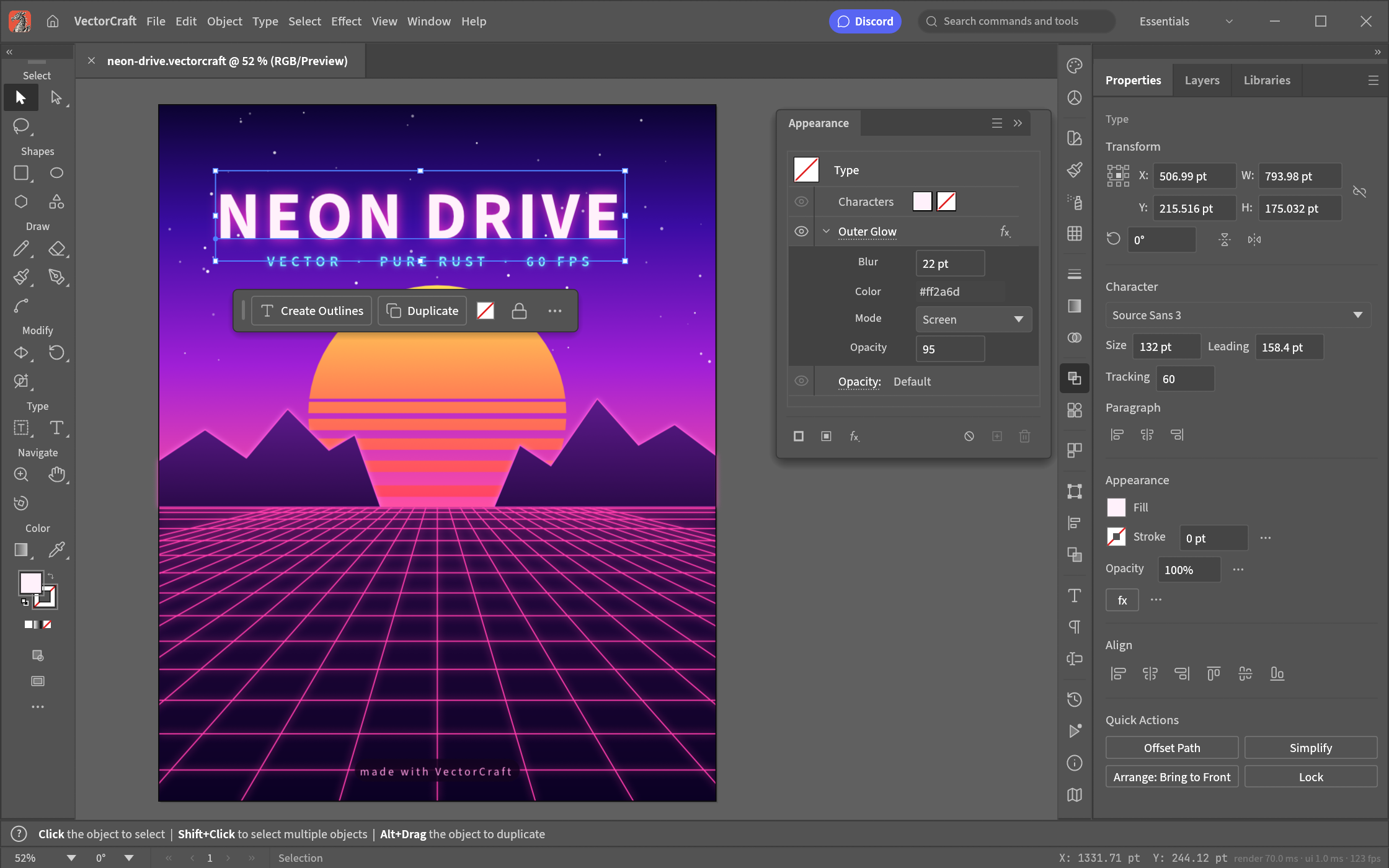
VectorCraft Online combines Pen, Direct Selection, Pathfinder, Smart Guides, Appearance, Swatches and Layers with familiar drawing shortcuts.
01/VectorCraft OnlineVector editor · Early alpha
 01 VectorCraft Online
Start a new vector design or open an existing SVG. Adjust colors, shapes, and paths, then export your artwork—all in your browser.
Browser-based SVG editing
02 / Highlights
01
VectorCraft Online combines Pen, Direct Selection, Pathfinder, Smart Guides, Appearance, Swatches and Layers with familiar drawing shortcuts.
02
A Rust renderer powers VectorCraft Online through WebAssembly. The upstream desktop app also keeps rendering work off its interface thread.
03
Draw Bézier curves in VectorCraft Online, combine shapes with exact curve booleans, and refine illustrations with Pathfinder and Shape Builder.
04
Refine artwork in VectorCraft Online with live blends, gradients, appearance stacks, clipping masks and undo.
05
Compose editable text alongside paths in VectorCraft Online, with character and paragraph styles, text threading and bidirectional layout.
06
Exchange SVG, PDF, PDF-compatible .ai or documented .vectorcraft files with VectorCraft Online. Export raster images for sharing.
03/Use cases
01
Create icons, marks and illustrations in VectorCraft Online, with editable curves, shape tools and precise alignment.
02
Build posters in VectorCraft Online with editable type, gradient fills, live effects and clipping masks. Keep variations on multiple artboards.
03
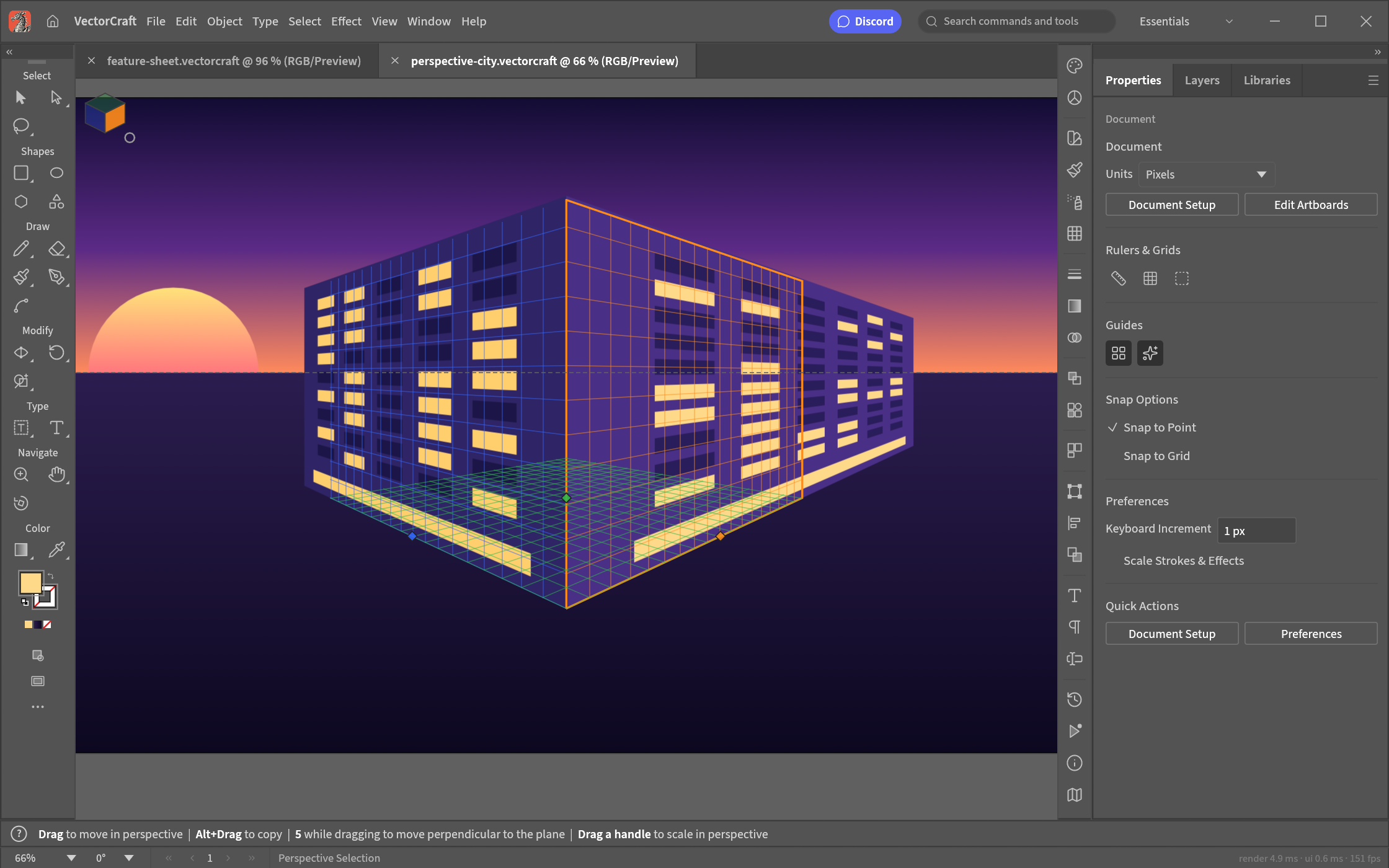
Explore live blends, radial repeats and perspective planes in VectorCraft Online to create depth and smooth colour transitions.
04
Open SVG or PDF artwork in VectorCraft Online, refine paths and type, then export for your next design tool.
04/How it works
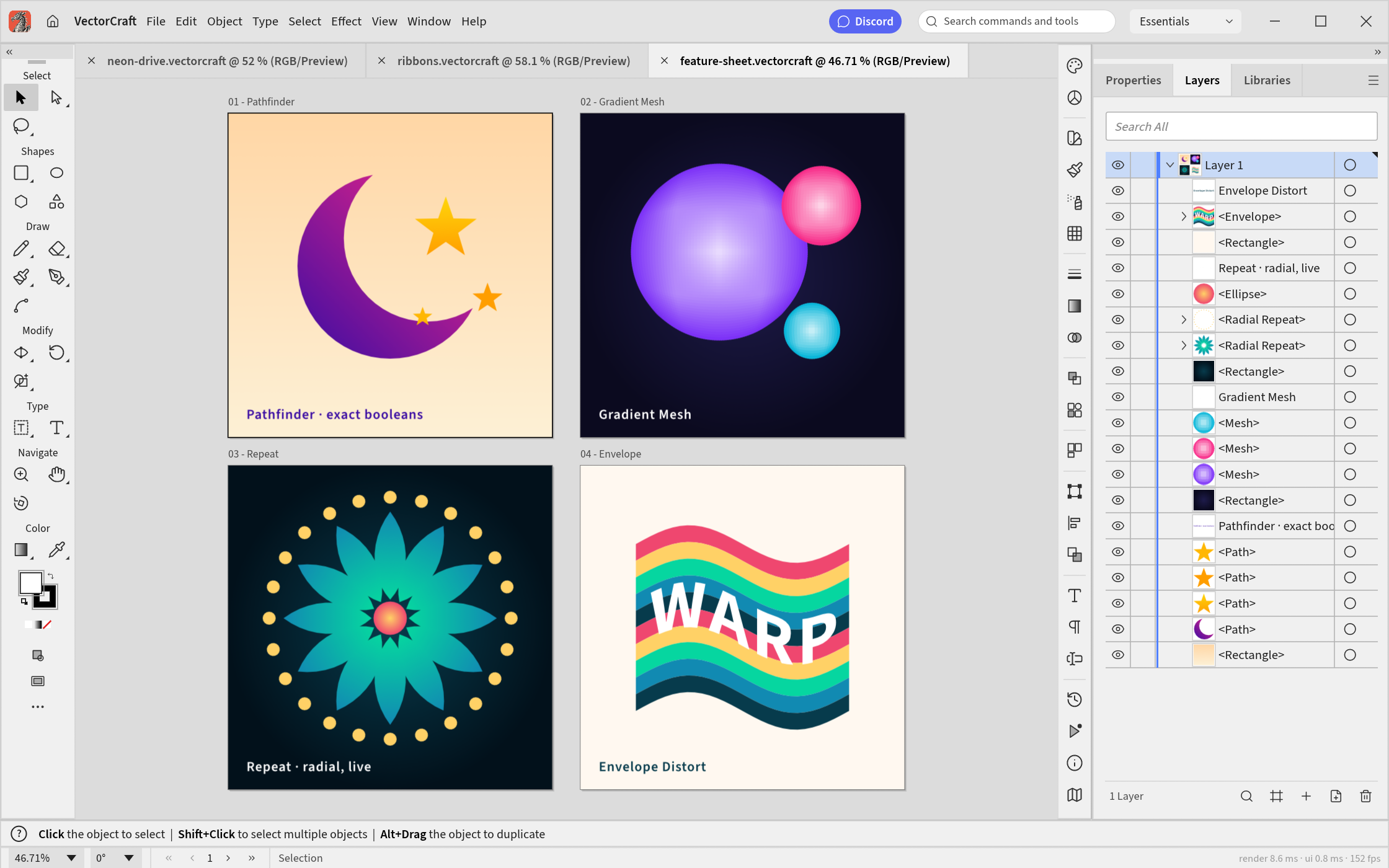
Open VectorCraft Online and start a canvas, or import an SVG, PDF or .vectorcraft file.
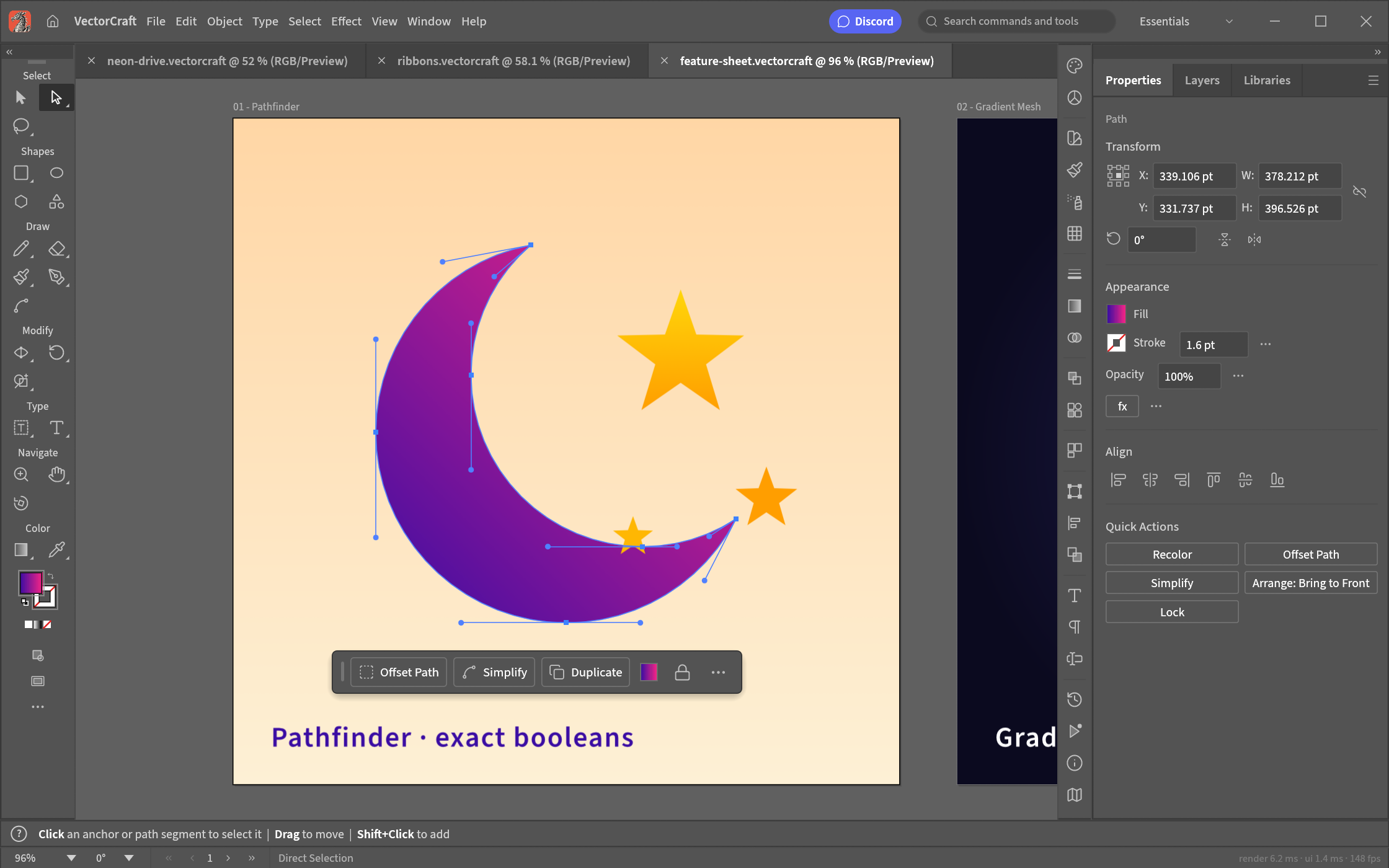
Draw with the Pen, adjust anchors with Direct Selection, and combine shapes with Pathfinder.
Add gradients, editable type and live effects. Organize your work with layers and artboards.
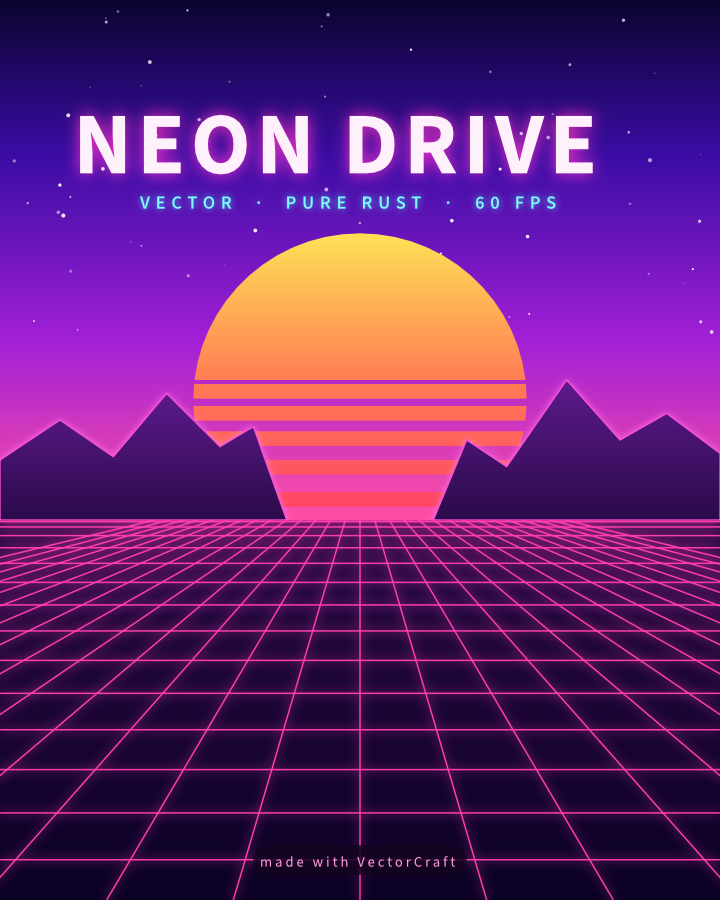
Save a .vectorcraft original, then export SVG, PDF or raster images to share.
MCP/AI-assisted editing
Let a compatible AI client edit shapes and colors in VectorCraft Online. Watch the changes, check the result and undo when needed.
Local MCP manages files on your computer; VectorCraft Online previews them. Commands and artwork need no cloud relay.

05/Formats
| Format | Support | Notes |
|---|---|---|
| .vectorcraft | Import + export | The documented, JSON-based native format keeps artwork editable. |
| SVG | Import + export | Import and export editable vector paths and artwork with VectorCraft Online. |
| PDF / .ai | Import + export | VectorCraft Online opens PDF-compatible .ai files; Illustrator-specific editing data is not preserved. |
| PNG, JPEG, WebP | Export | Export images from VectorCraft Online for sharing, presentations and the web. |
| Affinity | Import | Import .af, .afdesign and .afpub with warnings for unsupported features. No Affinity export. |
The editor is in alpha. Keep originals and check imported files before relying on round trips.
06/Screenshots
07/Get VectorCraft
Start drawing in VectorCraft Online without an installer or account.
Launch the editorPrefer a desktop app? The upstream VectorCraft project offers macOS, Windows, Linux and FreeBSD builds using the same Rust engine.
Desktop downloads ↗VectorCraft Online edits artwork in your browser. Open files from your device and save them back to disk, without a cloud upload.
08 / FAQ
VectorCraft Online is a browser editor for creating, editing and exporting SVGs and other vector artwork. This website independently hosts the open-source VectorCraft editor developed by ArtCraft and its contributors. It is not the official VectorCraft website.
Yes. Editing, saving and exporting in VectorCraft Online are free, with no subscription, paid export tier or added watermark. Optional AI features use your own AI client; that client or its model provider may charge separately.
No. Open the editor in a current desktop browser and work without signing up. The first launch loads the engine and fonts. The first engine download is about 25 MB, with visible progress. A keyboard and mouse or trackpad are recommended; mobile editing is not fully verified. Optional AI connections need a separate local setup.
Yes. Use File > Open or drop an SVG into the editor. Change fills and strokes, resize shapes, edit paths, then export an SVG. Outlined text stays a path, and embedded bitmaps stay raster images. Keep the original and check your export.
Import .vectorcraft, SVG, PDF and PDF-compatible .ai files. Save editable .vectorcraft projects; export SVG, PDF, PDF-compatible .ai, PNG, JPEG and WebP. Illustrator-specific editing data is not preserved. Affinity import is limited and Affinity export is unavailable. Check complex files after conversion.
VectorCraft Online processes artwork in your browser without uploading documents to our servers. Open files from your device and save or export them back to disk. If you connect an AI client, it may send object data, previews or exports to its model provider; review its settings.
A connected AI client can create and manage local artwork files, edit shapes, colors and text, preview changes and export results. Available actions depend on the editor and client. Review the result and save your changes; setup and permissions are covered in the help topics.
VectorCraft Online is alpha software. Complex imports, effects and missing fonts may change how artwork looks, and some features are still developing. Work on a copy, save or export regularly and reopen the result to check it. Browser recovery is not a backup; account-based cloud storage is not provided.
09/The family
Free, open-source tools for the things you make. Explore the other projects in the Craft family.
An open-source work in progress. Bring your artwork, report an issue, or contribute a fix.
Contribute on GitHub